
Font size
Background and font color
Images
Text scoring
Regular version of the site
A ready-made solution for creating a
corporate site
Apply
Services
  • Smart Home
  • Electric installation work
  • LED backlight
  • Local networks
  • Photovoltaics
  • Video monitoring
  • Security alarms
  • Fire alarm
  • Multiroom
  • Home theater
  • Home cinema
Solutions
  • Smart Home
  • Electric installation work
  • Local networks
Projects
  • Complex object
  • Facade lighting
  • Video monitoring
Brands
Equipment
  • Larnitech
  • Ajax
  • Bluesound
  • Hikvision
  • Dahua
Blog
About Us
  • Imprint
  • Company
  • Licenses and certificates
  • Contacts
Contacts
en
ru de hu sk
en
0
en
ru de hu sk
en
Sign in
0 Cart
Services
  • Smart Home
  • Electric installation work
  • LED backlight
  • Local networks
  • Photovoltaics
  • Video monitoring
  • Security alarms
  • Fire alarm
  • Multiroom
  • Home theater
  • Home cinema
Solutions
  • Smart Home
  • Electric installation work
  • Local networks
Projects
  • Complex object
  • Facade lighting
  • Video monitoring
Brands
Equipment
  • Larnitech
    Larnitech
  • Ajax
    Ajax
  • Bluesound
    Bluesound
  • Hikvision
    Hikvision
  • Dahua
    Dahua
Blog
About Us
  • Imprint
  • Company
  • Licenses and certificates
  • Contacts
Contacts
    Services
    • Smart Home
    • Electric installation work
    • LED backlight
    • Local networks
    • Photovoltaics
    • Video monitoring
    • Security alarms
    • Fire alarm
    • Multiroom
    • Home theater
    • Home cinema
    Solutions
    • Smart Home
    • Electric installation work
    • Local networks
    Projects
    • Complex object
    • Facade lighting
    • Video monitoring
    Brands
    Equipment
    • Larnitech
      Larnitech
    • Ajax
      Ajax
    • Bluesound
      Bluesound
    • Hikvision
      Hikvision
    • Dahua
      Dahua
    Blog
    About Us
    • Imprint
    • Company
    • Licenses and certificates
    • Contacts
    Contacts
      en
      ru de hu sk
      0
      0
      • Services
        • Services
        • Smart Home
        • Electric installation work
        • LED backlight
        • Local networks
        • Photovoltaics
        • Video monitoring
        • Security alarms
        • Fire alarm
        • Multiroom
        • Home theater
        • Home cinema
      • Solutions
        • Solutions
        • Smart Home
        • Electric installation work
        • Local networks
      • Projects
        • Projects
        • Complex object
        • Facade lighting
        • Video monitoring
      • Brands
      • Equipment
        • Equipment
        • Larnitech
        • Ajax
        • Bluesound
        • Hikvision
        • Dahua
      • Blog
      • About Us
        • About Us
        • Imprint
        • Company
        • Licenses and certificates
        • Contacts
      • Contacts
      • en
        • Language
        • en
        • ru
        • de
        • hu
        • sk
      • Cabinet
      • 0 Cart
      • Vienna, Austria

      • info@amperapro.com


      • Пн. – Пт.: с 9:00 до 18:00

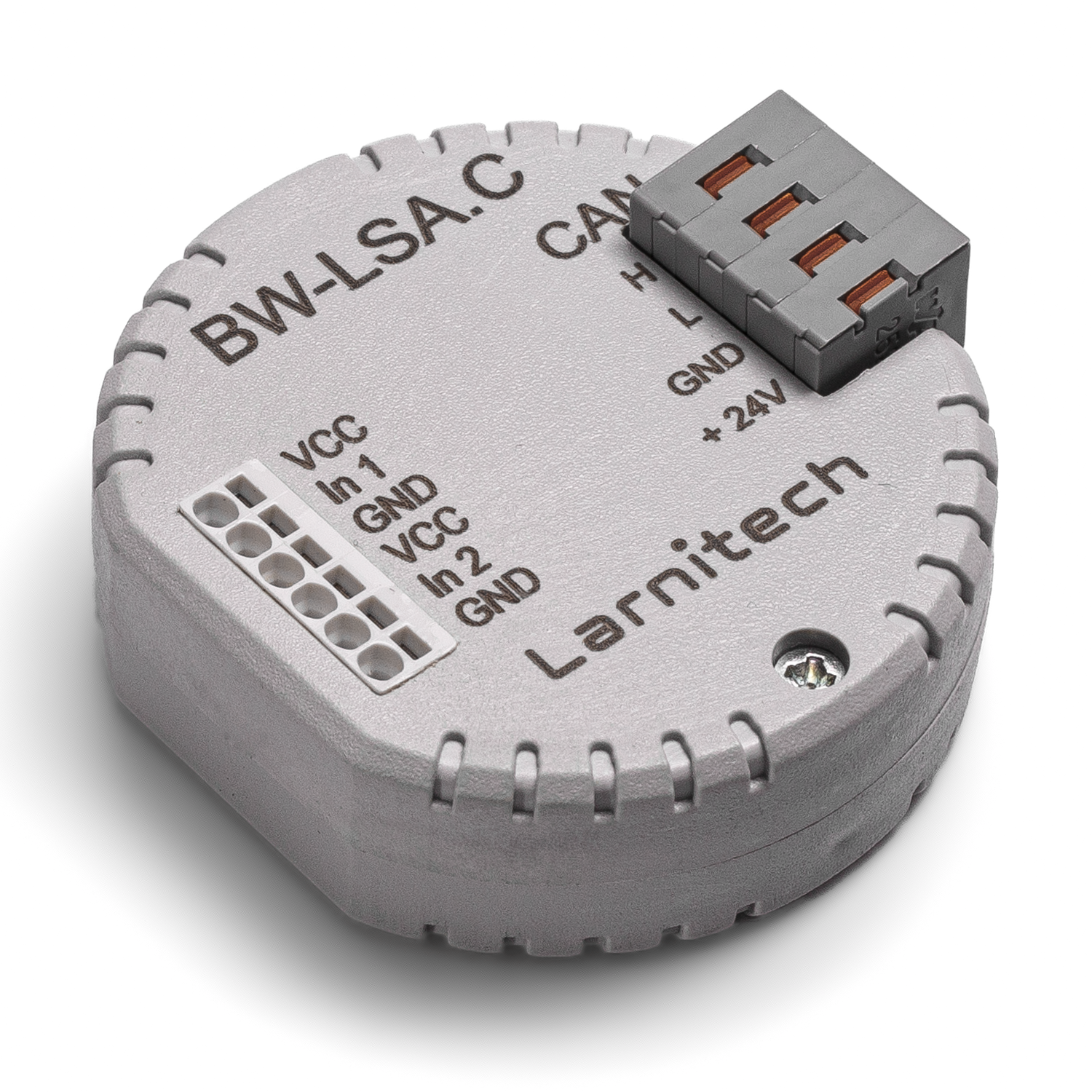
      BW-LSA LEAKAGE SENSOR ADAPTER

      Home
      —
      Equipment
      —
      Larnitech
      —
      Pattress space I/O units, interface adapters
      —BW-LSA LEAKAGE SENSOR ADAPTER
      BW-LSA LEAKAGE SENSOR ADAPTER
      In stock
      Add to cart
      Buy in 1 click
      Hardware warranty 3 years
      BW-LSA LEAKAGE SENSOR ADAPTER
      Characteristics
      Number of inputs
      —
      2
      Supply voltage
      —
      11.5...27.5 V DC
      Size (WxHxD)
      —
      45x42x14 mm
      Larnitech
      All items of brand Larnitech
      The price is valid only for the online store and may differ from the prices in retail stores
      BW-LSA LEAKAGE SENSOR ADAPTER
      In stock
      Add to cart
      Buy in 1 click
      Hardware warranty 3 years
      • Description
      • How to buy
      • Payment
      • Delivery
      • Additionally

      LEAKAGE SENSOR ADAPTER

      Allows connecting two leakage sensors, has the function of detecting the presence of the sensor

      CAUTION! All work related to the installation, connection, setting up, service and support must be carried out by qualified personnel with sufficient skills and experience in working with electrical equipment. To avoid the risk of fire, electric shock, damage to the system and/or personal injury, the system installation and assembly must be performed in accordance with the instructions listed below:

      • all connectivity work must be carried out with the power turned OFF;
      • use appropriate tools and personal protection against electric shock;
      • do not use damaged cables, wires and connectors;
      • avoid folding the cables and wires;
      • do not apply excessive force to the wires by kinking or pressing them too hard: the inner conductors of the cables and wires may get stripped or damaged;
      • do not use the power socket with poor contacts to connect;
      • do not exceed the load limit parameters specified in the manual;
      • the supply conductors wire section is subject to the specifications for current density limit, insulation type and wire material. Light section can result in cable overheating and fire.

      When the power is on, NEVER:

      • connect/disconnect the connectors;
      • open modules and sensors.

      Example of connection
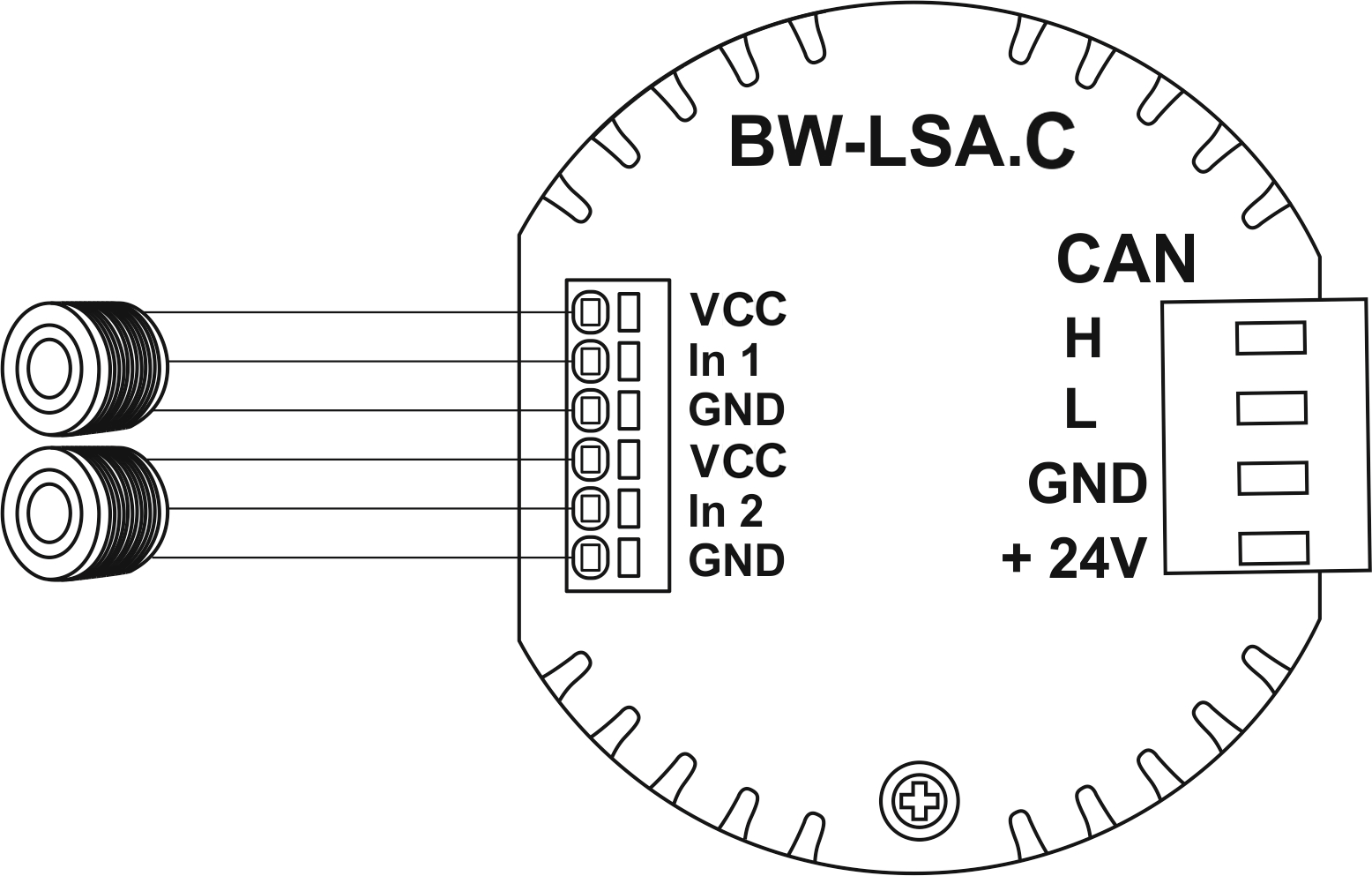
      LSAC EXA.png

      Module parameters

      Parameter name Value
      Input channels qty 2
      Power supply 11.5 … 27.5 V DC from CAN
      Max current(24V) 65 mA
      Bus type CAN (4-wire)
      Compatible with EW-WL, FW-WL
      Output voltage 8-14V
      Output current 20 mA
      Equipment installation type Free
      Case material ABS
      Protection IP40
      Temperature range -10 … +50 °C
      Size 45x42x14 mm
      Weight 25 g


      Module installation and connection procedure

      1. Connect the inputs.
      2. Connect the CAN connector.
      3. Configure the module using LT setup.
      4. Check all equipment for proper operation.

      Module shut-off and deinstallation procedure

      1. Disconnect the CAN connector.
      2. Disconnect the inputs.

      To purchase a product you like, you need to order it. There are several scenarios for how this can be done.

      1. Choose the product you like and click the "Order" button. When placing an order, fill out the form. Enter information in the fields: full name, phone number and e-mail. Then the manager will call you back to confirm your consent to make the purchase.
      2. Select the product you like and click the "Add to cart" button. Then go to the cart and click "Checkout". Then fill out the form with contact information and send an application. The manager will contact you for further discussion.
      3. Go to the product card and click "Buy in one click". After clicking, you need to fill out the form and send an application. The manager will contact you for further discussion.

      We work with individuals and legal entities. And we provide two payment options at once.

      • Cash. You sign the shipping documents, pay in cash, receive the goods and the check.
      • Cashless payments. We accept Visa and MasterCard. Available with courier delivery.

      We can deliver your order with our own resources, provided that you are in the city. Or through 4 delivery options:

      1. Courier delivery. Courier delivery works from 9:00 to 19:00. When the goods arrive at the warehouse, the courier service will contact to clarify the details. The specialist will offer to choose a convenient delivery time and specify the address.
      2. Pickup from the store. To receive an order, contact an employee at the checkout area and tell them the number.
      3. We cooperate with postamats. Shelf life is 3 days.
      4. We provide postal delivery via Russian post. When the order arrives at the department, a notification of the parcel will be sent to your address. You can open the box yourself only after paying for the order.

      An additional tab for posting information about goods, delivery or any other important content. It will help you answer the buyer's questions and dispel his doubts about the purchase. Use it as you see fit.

      You can remove it or return it back by changing one checkbox in the component settings. Very comfortably.

      Back to the list
      Services
      Solutions
      Projects
      Brands
      Equipment
      Blog
      About Us
      Contacts
      en
      ru de hu sk
      en

      info@amperapro.com


      Vienna, Austria
      ©2026 AMPERAPRO
      Privacy Policy
      Site usage rules
      0 Cart

      Your cart is empty

      It is easy to fix it: select the product you are interested in in the catalog and click the "Add to cart" button
      To catalog
      Homepage Search Catalog Servises Contacts