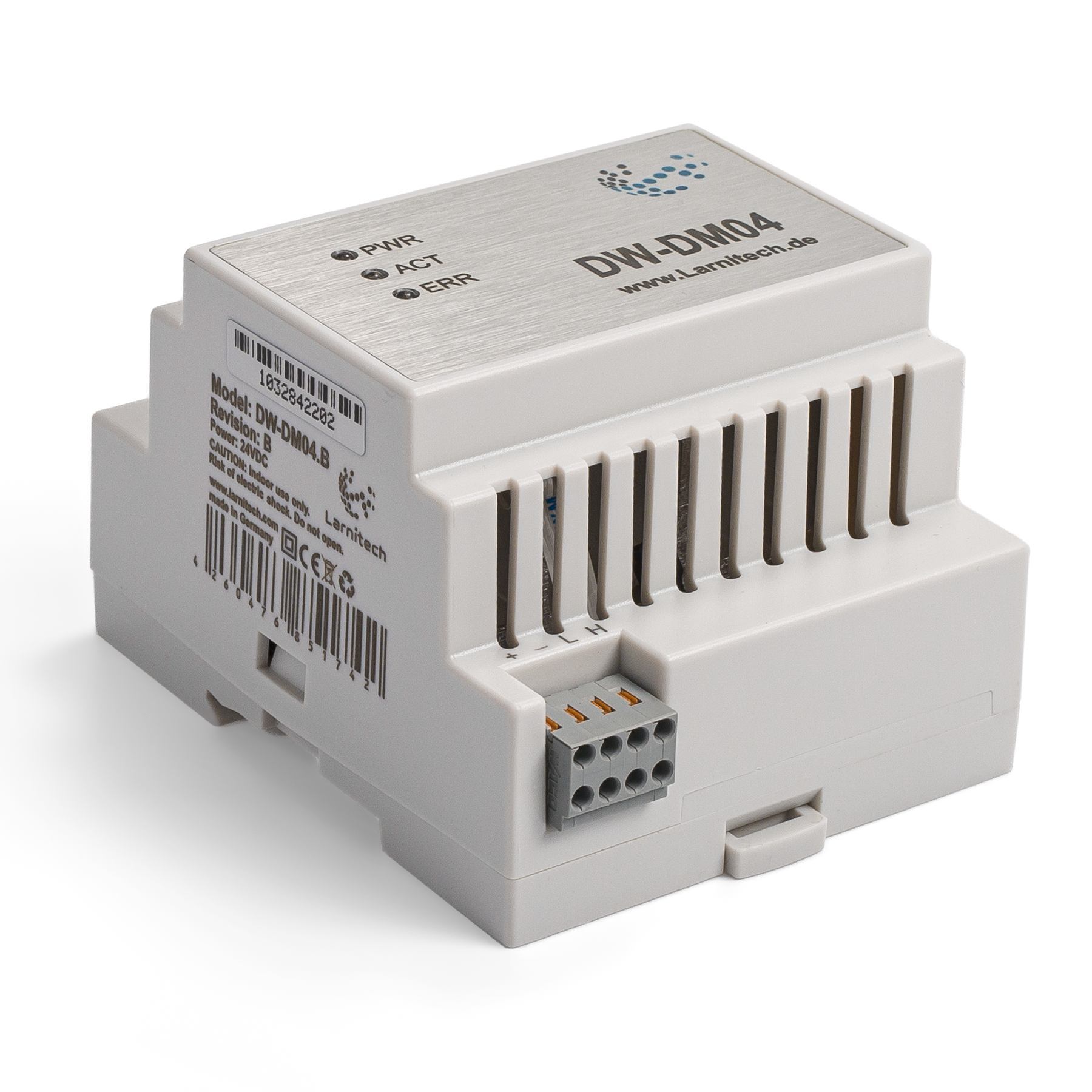

4-CHANNEL DIMMER
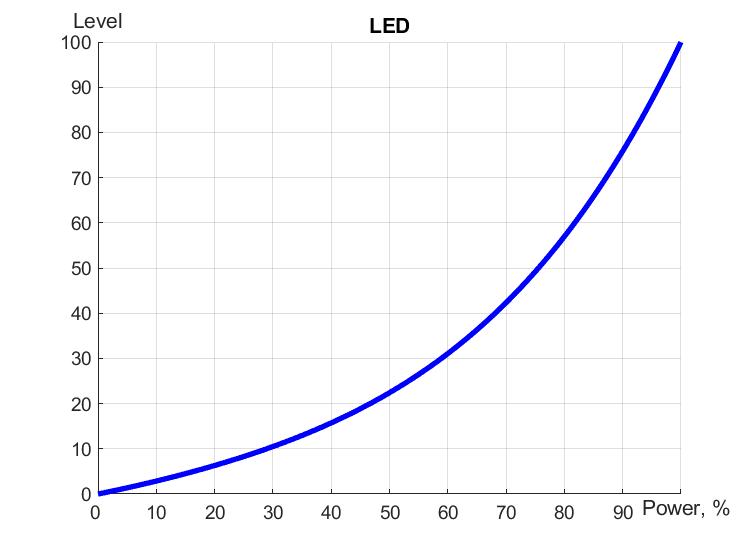
This module is designed for smooth adjustment of brightness of lighting devices (non reactive load). The dimmer type is MOSFET with trailing edge dimming. Like all Larnitech devices, this dimmer controller is automatically detected and configured when it is added to the system. A logical unit within makes it possible for the unit to perform scripts from Larnitech’s large and constantly updated database and to operate on distributed logic, ensuring the reliability of its operation. Advanced LED light settings allow a more precise setup, while soft start mode prolongs lamp life. In addition to featuring protection in a range of parameters.
Features
- R/C load type has 4 channels. Each channel supports up to 500 W
- Works with halogen /LED lights
- Advanced LED light settings
- Soft start mode
- Overload protection
- Overheating protection
- Short-circuit protection
- Plug and play (automatically detected and configured by the system)
- Built-in logical unit
- Regular system updates
CAUTION! All work related to the installation, connection, setting up, service and support must be carried out by qualified personnel with sufficient skills and experience in working with electrical equipment. To avoid the risk of fire, electric shock, damage to the system and/or personal injury, the system installation and assembly must be performed in accordance with the instructions listed below:
- all connectivity work must be carried out with the power turned OFF;
- use appropriate tools and personal protection against electric shock;
- do not use damaged cables, wires and connectors;
- avoid folding the cables and wires;
- do not apply excessive force to the wires by kinking or pressing them too hard: the inner conductors of the cables and wires may get stripped or damaged;
- do not use the power socket with poor contacts to connect;
- do not exceed the load limit parameters specified in the manual;
- the supply conductors wire section is subject to the specifications for current density limit, insulation type and wire material. Light section can result in cable overheating and fire.
When the power is on, NEVER:
- connect/disconnect the connectors;
- open modules and sensors.
Overview
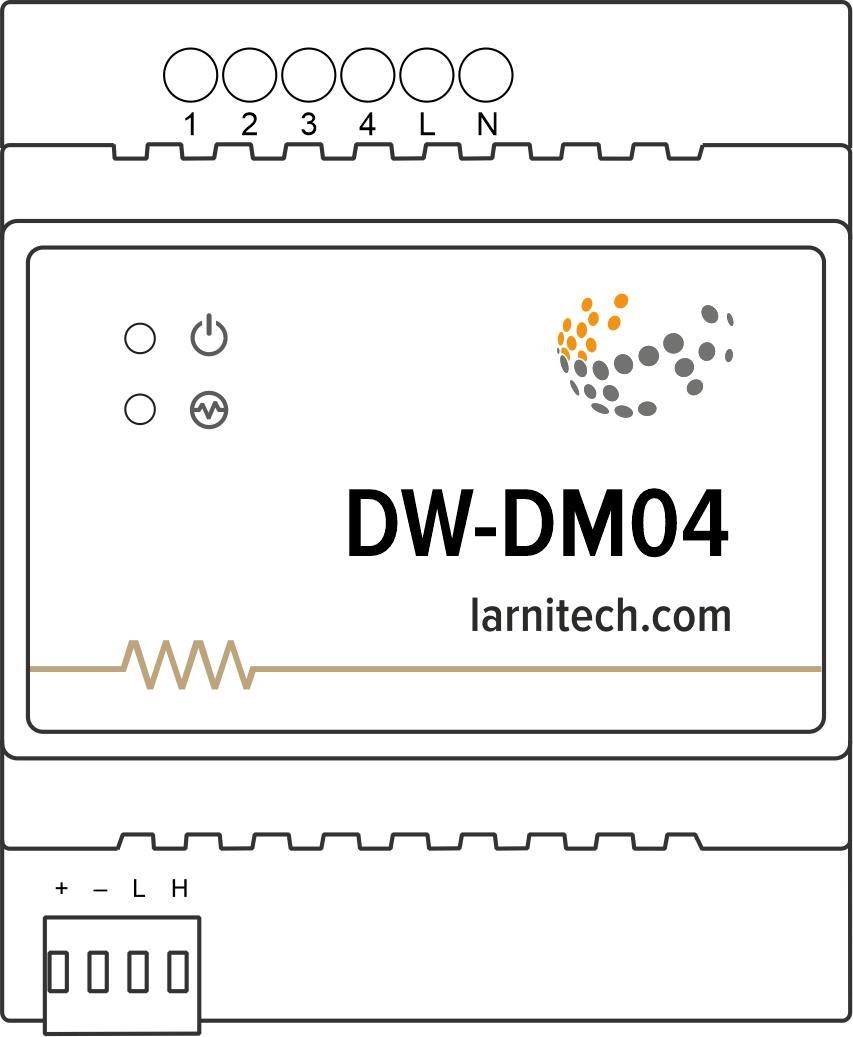
Example of connection
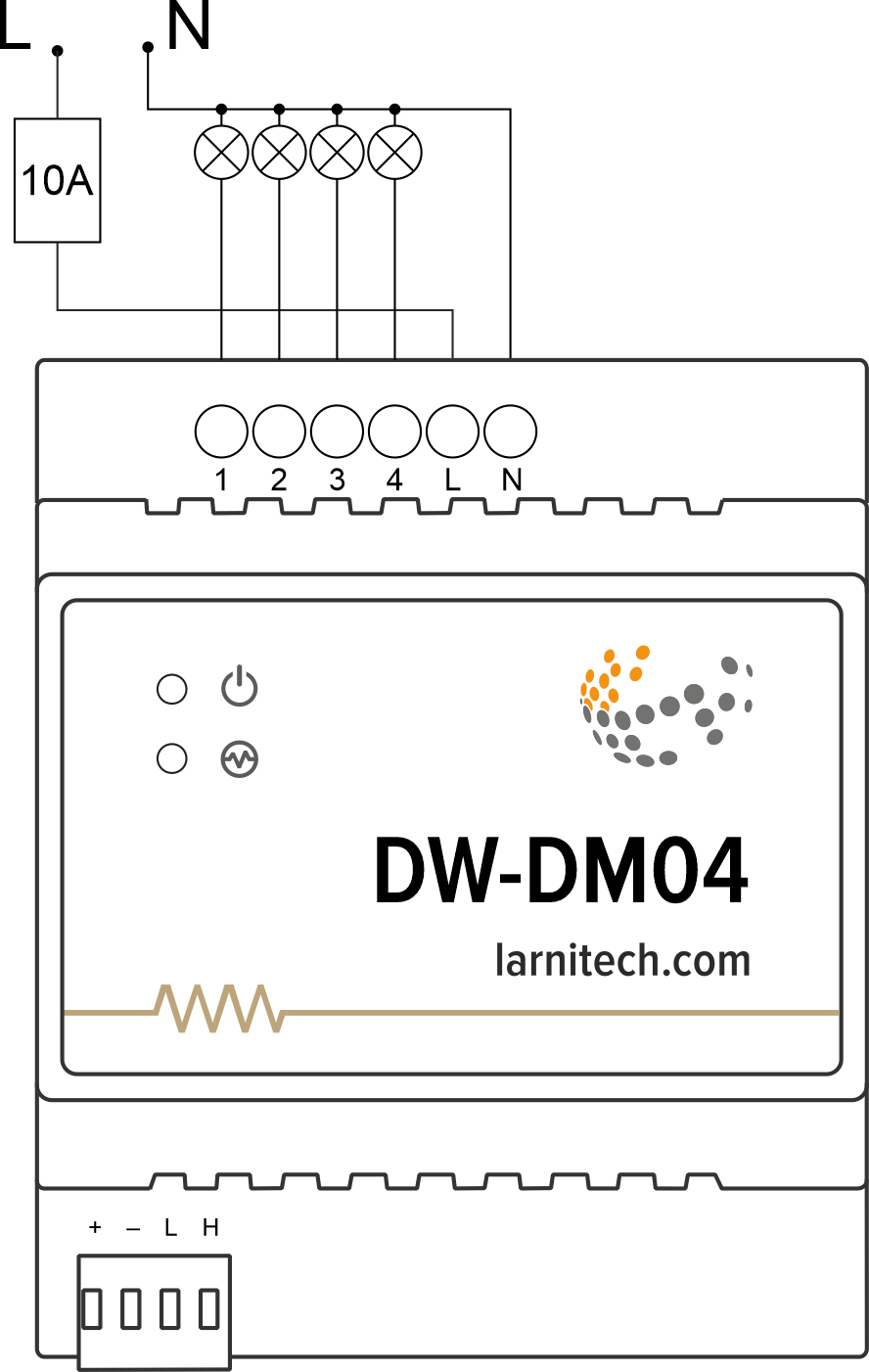
Module dimensions
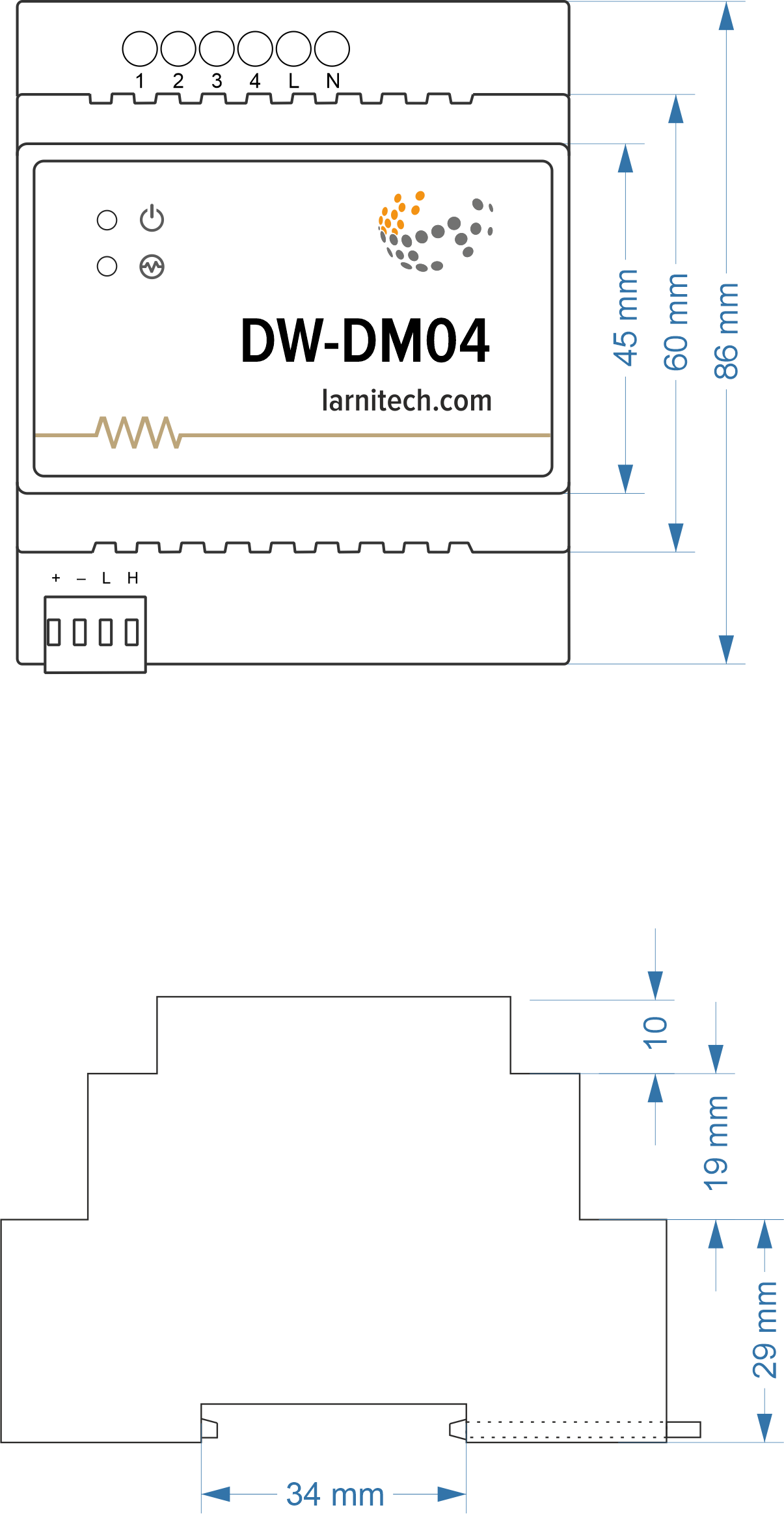
Internal layout
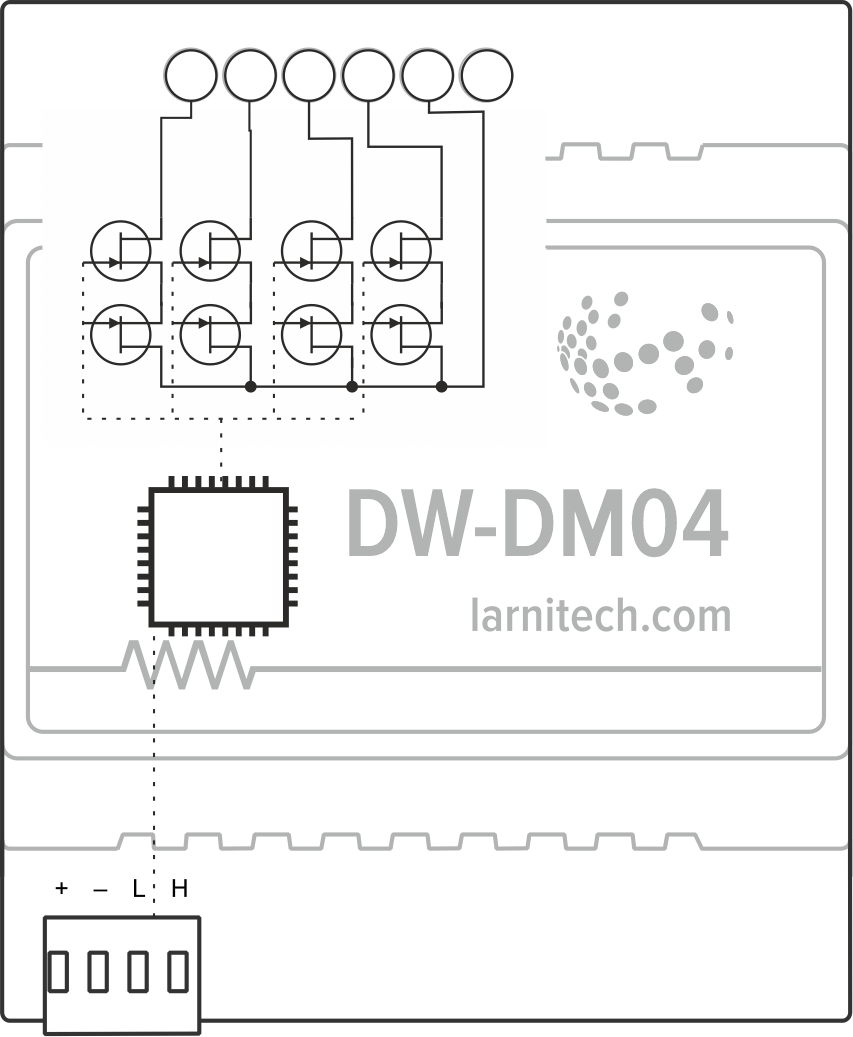
Module parameters
| Parameter name | Value |
|---|---|
| Dimming channels qty | 4 |
| Input voltage | 100-240V AC, 50-60 Hz |
| Current type | AC |
| Max load per channel | 2.27A (500W at 220V) |
| Max load per device | 7.27A (1600W at 220V) |
| Dimmer type | MOSFET |
| Dimming type | trailing edge |
| Power supply | 11.5 … 27.5 V DC from CAN |
| Max current(24V) | 35 mA |
| Bus type | CAN (4-wire) |
| Equipment installation type | DIN rail (EN 60715) |
| Case material | ABS |
| Protection | IP40 |
| Temperature range | -10 … +50 °C |
| Size | 4U, 69x102x58 mm |
| Weight | 180 g |
Supported load types
CAUTION! Do not overload the dimmer in order to avoid it overheating and breaking down. Use it safely by following the parameters provided in the parameters table. Only the kinds of load and load power options outlined in the compatible devices table are to be used with this dimmer.| Supported load type | Power | |
|---|---|---|

|
Conventional incandescent lamps | 0-500W |

|
Halogen light sources | 0-500W |
|
LED lamps with dimming support | 0-500W |

|
Energy saving lamps with dimming support | 0-500W |
|
Electronic ballasts with dimming support | 0-500W |
Indication of module operation
Bootloader
| Indicator | Status | Description |
|---|---|---|
 |

|
Device in bootloader |
 |

|
Waiting for bootloader command |

|
Flashing firmware |
Firmware
| Indicator | Status | Description |
|---|---|---|
|
|
||

|
Identification | |
|
|
Operational mode | |
|
Error |
||
|
|
Lost connection to server | |
|
|
Overheat | |
|
|
No AC power | |
|
|
RTC error |
Module installation and connection procedure
- Install the module in the switchboard on the DIN rail and fix it with the special latch on the module base.
- Connect the CAN connector.
- Connect the contacts (1-4).
- Configure the module using LT setup.
- Apply power to the load.
- Check all equipment for proper operation.
Module shut-off and deinstallation procedure
- Disconnect the power from the load.
- Disconnect the contacts (1-4).
- Disconnect the CAN connector.
- Remove the module from the DIN rail, releasing the latch at the bottom of the module base.
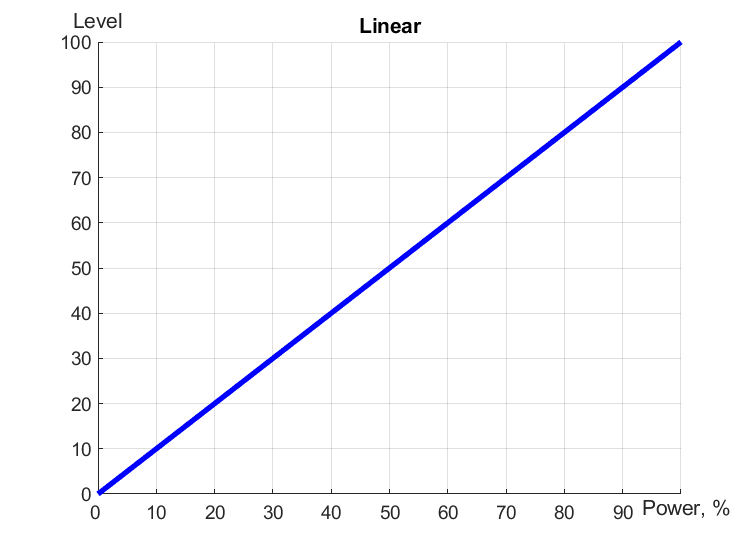
Dimmer workflow
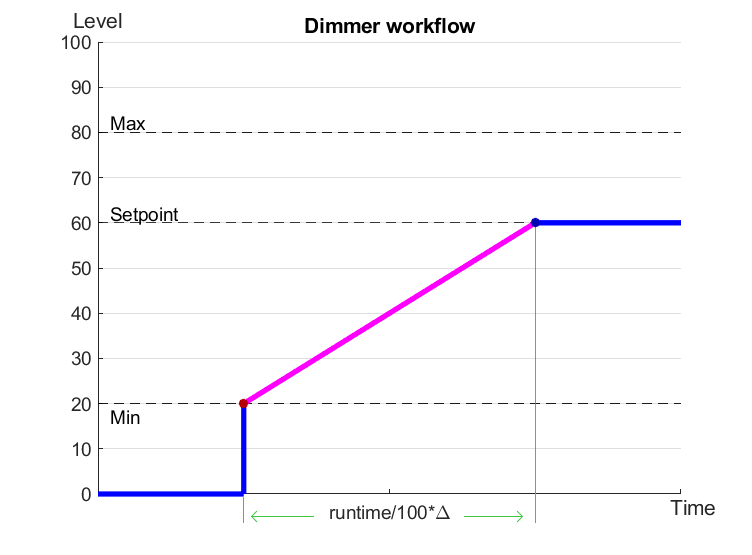
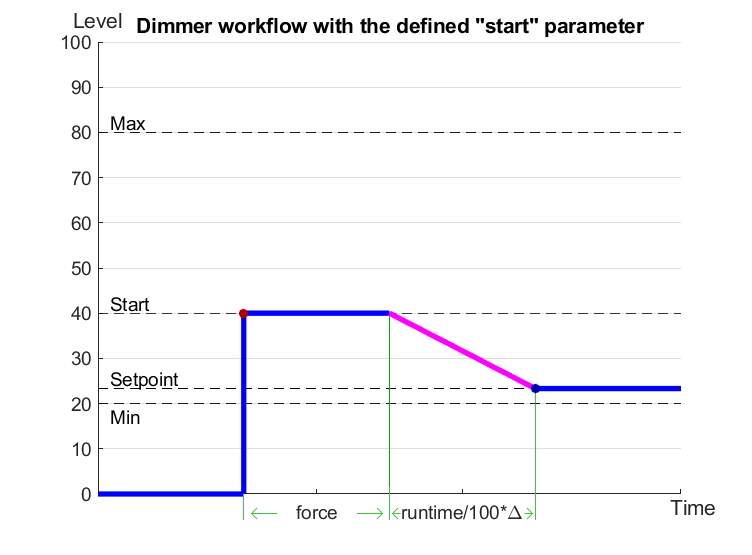
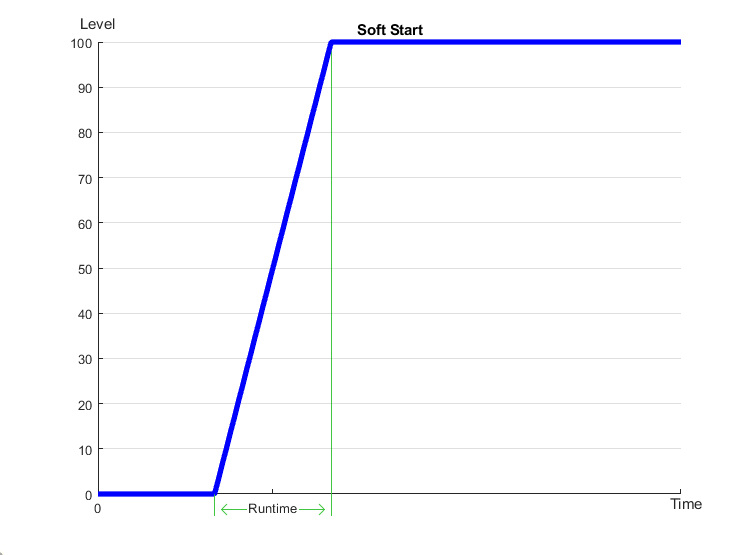
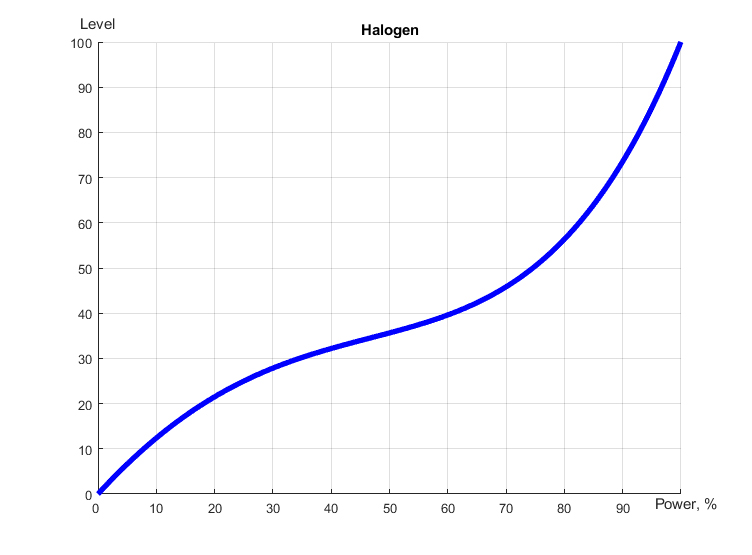
Linear, LED and Halogen workflows
To purchase a product you like, you need to order it. There are several scenarios for how this can be done.
- Choose the product you like and click the "Order" button. When placing an order, fill out the form. Enter information in the fields: full name, phone number and e-mail. Then the manager will call you back to confirm your consent to make the purchase.
- Select the product you like and click the "Add to cart" button. Then go to the cart and click "Checkout". Then fill out the form with contact information and send an application. The manager will contact you for further discussion.
- Go to the product card and click "Buy in one click". After clicking, you need to fill out the form and send an application. The manager will contact you for further discussion.
We work with individuals and legal entities. And we provide two payment options at once.
- Cash. You sign the shipping documents, pay in cash, receive the goods and the check.
- Cashless payments. We accept Visa and MasterCard. Available with courier delivery.
We can deliver your order with our own resources, provided that you are in the city. Or through 4 delivery options:
- Courier delivery. Courier delivery works from 9:00 to 19:00. When the goods arrive at the warehouse, the courier service will contact to clarify the details. The specialist will offer to choose a convenient delivery time and specify the address.
- Pickup from the store. To receive an order, contact an employee at the checkout area and tell them the number.
- We cooperate with postamats. Shelf life is 3 days.
- We provide postal delivery via Russian post. When the order arrives at the department, a notification of the parcel will be sent to your address. You can open the box yourself only after paying for the order.
An additional tab for posting information about goods, delivery or any other important content. It will help you answer the buyer's questions and dispel his doubts about the purchase. Use it as you see fit.
You can remove it or return it back by changing one checkbox in the component settings. Very comfortably.